 Skip to content

Agency work gets hectic fast, leads coming in, clients asking for updates, campaigns moving, deadlines shifting. When the workload grows, the cracks show: missed follow-ups, scattered files, and projects that slip because no one had a clear view of what was happening.
That’s why so many teams go looking for the best CRMs for digital marketing agency not for another shiny tool, but for something that actually keeps the agency running without chaos.
This guide walks you through the CRMs that help you stay organized, move faster, and keep clients happy when things get busy. Let’s break them down in a clear, practical way.
What Makes a CRM “Good” for a Digital Marketing Agency in the First Place?
Agency work gets messy fast. Leads pile up, campaigns overlap, clients chase updates, and someone always misses a follow-up that should’ve closed a deal. Files get scattered. Approvals slow down. Projects stall because no one knows who’s waiting on what. And late invoices quietly hurt your month more than you admit.
A good CRM fixes these pressure points. It pulls your leads, tasks, client messages, and project timelines into one place so nothing slips. It shows you which deals need attention, which projects are stuck, and which clients are waiting for answers. It keeps the agency moving without relying on memory, luck, or twenty open tabs.
Some CRMs even support basic community management, helping agencies keep client groups, feedback threads, and update discussions in one place instead of scattered across chats
That’s what makes a CRM actually useful for a digital marketing agency. It prevents the silent problems that derail your day.
Why Do Agencies Outgrow Regular CRMs So Fast?
Sales-only CRMs work until the client signs. The moment delivery starts, everything breaks. Tasks, files, revisions, and client messages pile up, and the CRM has no space for any of it. It can track a deal, but it can’t handle the chaos that comes after, the updates clients expect, the deadlines that shift, or the teamwork required to keep campaigns moving.
That’s why agencies drop basic CRMs so quickly. You need client portals so clients stop chasing updates, project boards your team can follow without guessing, approval flows that don’t get lost in chats, and billing that fits retainers and unpredictable workloads. Regular CRMs aren’t built for the real work that happens after the deal closes, but agency-friendly CRMs are.
How Do You Choose the Best CRM for Your Digital Marketing Agency?
Choosing a CRM gets risky when you only look at checklists. Agencies don’t need fancy menus, they need something that holds together when the pressure hits. So picture your real day, not the “ideal workflow” the sales page promises.
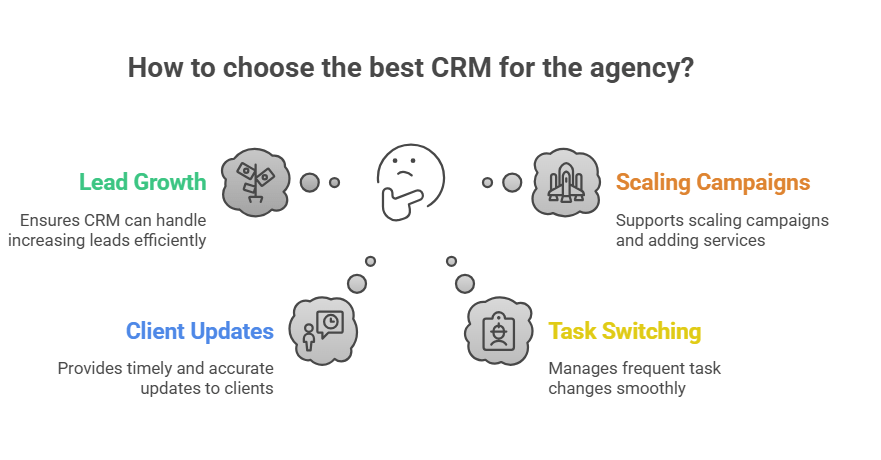
What happens if your leads grow?
A good CRM should keep every lead visible, not buried in tabs. When leads jump from five a week to fifty, the system must tell you exactly who needs a call, who’s stalling, and who’s close to signing, without you digging.
What happens when clients ask for updates?
Some clients ask once. Others ask three times a day. If the CRM can’t show progress, approvals, and files in one place, you’ll drown in messages. A strong agency CRM gives clients answers without pulling your team out of their work.
What happens when your team switches tasks every hour?
Design, copy, ads, calls, everyone jumps between things constantly. Your CRM has to show who’s doing what, what’s blocked, what’s late, and what needs attention next. If the team has to “figure it out,” the CRM is not doing its job.
What happens when you scale campaigns or add more services?
More clients means more approvals, more tasks, more deadlines, more billing cycles. If the CRM can’t keep up, your team will feel the strain first. A real agency-friendly CRM handles growth without turning your workflow into chaos.
A CRM becomes the right choice when it supports the way your agency actually works, messy, fast, creative, and always under pressure. The wrong one slows everything down. The right one makes the entire day feel lighter.
CRM Features That Actually Matter for Agency Teams
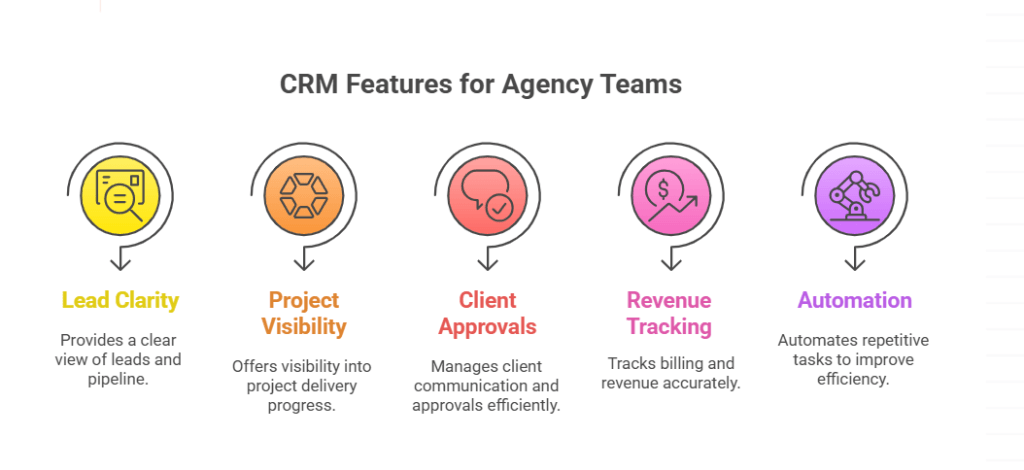
Agencies don’t need endless features. They need the ones that stop the daily chaos.
Lead and pipeline clarity
When leads pile up, guessing costs you deals. A good CRM shows who’s ready, who’s cooling off, and who needs a follow-up. No buried conversations. No lost revenue.
Good CRMs also give you simple funnel analysis so you can see where leads drop off and where your team loses momentum, no guessing, no digging through scattered notes.
Project delivery visibility
Once a client signs, everything gets busy. Tasks move, deadlines change, people switch projects. A clear board shows what’s done, what’s stuck, and who’s waiting. If a client asks at 8 PM, “Where are we with this?”, you can answer instantly.
Client communication and approvals
Agencies lose hours hunting for the “latest file.” A real agency CRM keeps updates, feedback, and approvals in one place so nothing disappears in chats.
Billing and revenue tracking
Late invoices hit harder than most people admit. The right CRM shows what’s due, what’s paid, and what needs sending before the month ends.
A strong CRM also gives you clear conversion tracking, which shows exactly how many leads move forward and where potential clients stop responding.
Automation that removes repetitive steps
Follow-ups, reminders, task creation, status moves, these are the tiny things that wear you out. Automation handles them so your team doesn’t spend half the day doing admin work.
Email automation helps your team stay consistent, follow-ups happen automatically, so you don’t lose a warm lead just because the day got busy.
These are the features that keep an agency running when the workload gets heavy.
Quick Comparison: Best CRMs for Digital Marketing Agency in 2026
When your agency is busy, you don’t have time to read walls of text. You want the facts, what each CRM does well, what it struggles with, and who actually benefits from it. This table gives you a clear snapshot so you can spot the right fit without digging through hours of reviews.
Best CRMs at a Glance
| CRM | Starting Price | What Stands Out (USP) | Best For | Where It Falls Short |
| Agency Handy | $19/mo | Built for agencies from lead → project → billing | Agencies needing client portals + project boards | No advanced email marketing |
| Productive | $11/mo | Strong financial tracking and profitability insights | Agencies focused on margins + resource planning | Steeper learning curve |
| ManyRequests | $29/mo | Clean client portal + request workflow | Productized service agencies | Weak CRM + limited billing |
| SuiteDash | $19/mo | Deep white-labeling and all-in-one structure | Agencies wanting full control + customization | Can feel heavy and overwhelming |
| OneSuite | $29/mo | Simple proposals, contracts, and delivery flow | Small → mid agencies | Basic reporting and fewer integrations |
| Pipedrive | $19/mo | Straightforward, visual pipeline | Agencies focused on sales only | Not built for project delivery |
| Agile CRM | $8.99/mo | Lots of features at a low price | New/small teams on a tight budget | Outdated UI and weak PM tools |
| HubSpot CRM | $45/mo | Strong automation + inbound marketing tools | Agencies scaling fast | Gets expensive as you grow |
| Zoho CRM | $20/mo | Huge customization and ecosystem | Agencies needing flexibility | Interface feels cluttered |
| Insightly | $29/mo | CRM + project management in one | Agencies wanting a single tool for sales + delivery | PM isn’t as strong as dedicated tools |
This table gives you the quick clarity most CRMs hide behind long feature page.
Agency Handy Review: Is It Really the Best CRM for Digital Marketing Agency Workflows?
Agency Handy feels like it was built by someone who has lived inside an agency before. It handles the entire flow, leads, onboarding, tasks, approvals, revisions, billing, without forcing you into a maze of menus. What stands out most is the client portal. Clients stop chasing updates because everything sits right in front of them. Your team sees tasks, feedback, files, and deadlines without guessing. And when a project gets busy, the board shows exactly what’s moving and what’s stuck. Nothing hides in chats or random folders.
Where It Feels Limited
You won’t find advanced marketing automation or heavy email campaigns inside Agency Handy. It’s not built for drip sequences, smart audience targeting, or complex funnels. If your agency needs a CRM to double as a full email engine, this isn’t the place. It focuses on delivery, not marketing automation.
Who Should Choose It (And Who Shouldn’t)
Choose Agency Handy if you want one system that carries clients from their first message all the way to paid invoices. It works best for agencies that handle lots of deliverables and want fewer tools in the stack.
Avoid it if your main focus is advanced email marketing or long automation chains, you’ll feel the limits fast.
Productive Review: Does It Help Agencies Stay Profitable, or Just Organized?
Productive is the CRM agencies choose when they start caring about numbers more than nice-looking dashboards. It tracks time, capacity, billable hours, margins, and forecasts in a way that instantly exposes what’s working and what’s draining your energy. If a client is eating hours without paying for them, Productive shows it instantly.
It’s not only about staying organized, it’s about staying profitable. Resource planning, utilization reports, budget vs actuals, all show up cleanly. The downside? It takes a bit of time to learn. And the client-facing side isn’t as strong as other tools.
ManyRequests Review: Is a Portal-First CRM Enough for Growing Agencies?
ManyRequests feels perfect for agencies selling productized services, social media bundles, monthly graphics, recurring SEO tasks. The client portal is clean, easy to use, and stops clients from blowing up your inbox. Requests land inside a structured board, and your team can handle them without chaos.
But there’s a trade-off. Lead management is basic. Billing is limited. Reporting is light. If you run a full digital marketing agency with multiple service types and mixed workflows, you’ll quickly hit the ceiling. For packaged services, it rocks. For a growing agency with broader needs, you’ll want more.
SuiteDash Review: Is All-in-One Too Much for Small Agencies?
SuiteDash has everything. CRM, projects, portals, invoicing, proposals, automation, contracts, all under one roof. It’s powerful, but you feel the weight. Small agencies sometimes get lost in the setup because the tool asks for decisions before you even know how you’ll use it.
If you love customization and want total control, SuiteDash delivers. If you want something that works right away without hours of setup, it may feel too heavy.
OneSuite Review: When Simplicity Helps Agencies Move Faster
OneSuite gives agencies a clean, simple flow: proposals → contracts → projects → tasks → invoices. No overthinking. No endless configuration. If you want something that keeps the team aligned and keeps clients informed, OneSuite fits.
It shines for agencies that want a lightweight tool with just enough structure to move quickly. But reporting is basic, and integrations are limited. Great for small and mid-sized agencies that value speed over complexity.
Pipedrive Review: Is a Sales-Only CRM Enough for Agencies in 2026?
Pipedrive is excellent at one thing: selling. Deals, pipelines, follow-ups, reminders, it keeps everything tight. Agencies who struggle with follow-ups love it because nothing slips.
But once you close the deal, Pipedrive steps aside. No project delivery board, no client approvals, no real collaboration. It wins at sales and loses at everything that happens after. If your agency needs a strong sales engine paired with another project tool, it works. As an all-in-one? Not enough.
Agile CRM Review: Does the Low Price Justify the Limitations?
Agile CRM is the “we’re on a tight budget, but we need something” choice. If you’re tight on money and just need a place to keep leads alive, Agile gets the job done. You get a surprising amount for the price, email campaigns, basic automation, telephony, analytics.
The trade-off? The interface feels old, and project delivery tools are nearly non-existent. It’s great for very small agencies or new teams trying to stay organized without spending much.
HubSpot CRM Review: Is It Worth the Growing Price Tag for Agencies?
HubSpot gives agencies almost everything, automation, email campaigns, inbound tools, reporting, segmentation, the whole stack. It’s fast, powerful, and built to take on more work without falling apart when your agency grows. Teams that scale quickly often lean on HubSpot because it handles pressure well.
But the price climbs fast. The starter tier feels friendly until you need real marketing automation, deeper workflows, or a larger contact base. Agencies love HubSpot for its strength, but the cost hits hard the moment you move past the basics.
HubSpot also pushes personalization further than most CRMs, especially when you tailor campaigns around real user behavior.
If you want a clear breakdown of how personalization works in digital marketing, you can read our guide here: personalization in digital marketing.
Zoho CRM Review: How Much Customization Does an Agency Really Need?
Zoho CRM lets you build almost anything, fields, workflows, modules, pipelines, dashboards. It’s incredibly flexible and connects to the full Zoho ecosystem.
But the freedom comes with a cost. The interface feels busy. New team members take time to learn it. If your agency likes customizing every step of the process, it’s a strong pick. If you want something simple, Zoho can feel overwhelming fast.
Insightly Review: Can a Hybrid CRM + Project Tool Replace Two Platforms?
Insightly tries to bridge the gap between sales and project delivery. You close a deal, convert it into a project, and keep everything connected, no duplicate data, no scattered notes. It works well for agencies that want one place for leads and one place for tasks.
But the project side isn’t as strong as dedicated tools like Agency Handy or Productive. It’s good, not great. Still, if you’re tired of switching between two different platforms, Insightly can simplify your setup.
Final Verdict: What Is the Best CRM for Digital Marketing Agency Teams in 2026?
Finding the best CRM for digital marketing agency work depends on where the pressure hits your team the hardest. If your entire workflow, from the first lead to the final invoice, needs support, Agency Handy is the strongest all-around choice. It keeps leads clear, projects visible, clients informed, and billing predictable without stacking extra tools on top of each other. For agencies running productized services, ManyRequests feels lighter and faster because its request system and portal handle recurring work without chaos. And if budget is the biggest obstacle, Agile CRM covers your basic pipeline without draining your resources.
Agencies that only need a sales engine should lean toward Pipedrive, because it wins at follow-ups and deal momentum but doesn’t try to manage delivery. In short: Agency Handy for full client journeys, ManyRequests for fixed packages, Agile for tight budgets, and Pipedrive if closing deals is the only thing you need from a CRM.
FAQs
What CRM do most digital marketing agencies use today?
Most agencies use HubSpot or Agency Handy, but for different reasons. HubSpot is common because of its automation and inbound tools. Agency Handy is growing fast because it handles the full client journey, leads, projects, feedback, and billing, without forcing teams into multiple tools. Agencies pick based on pain points, not popularity.
Can a small agency use free CRM software without running into problems?
Yes, but only for a while. Free CRMs like Agile or HubSpot’s free tier help small teams stay organized at the start. The trouble begins when you grow, you hit limits with contacts, automation, client collaboration, and billing. Free plans work for survival, not long-term agency workflows.
What CRM replaces spreadsheets for agencies?
Agency Handy and Productive replace spreadsheets better than traditional CRMs. They handle leads, deliverables, deadlines, and invoicing in one place. No more hunting for the “latest version” of a campaign plan or a scattered list of leads buried in tabs. These tools remove the manual work that usually forces agencies back to Google Sheets.
Do all CRMs work with monthly retainer clients?
No. Many CRMs only track deals and contacts. Retainers need recurring billing, deliverable tracking, monthly reporting, and client communication in one place. Tools like Agency Handy, Productive, and OneSuite handle retainers well. Sales-only CRMs like Pipedrive don’t support them without extra tools.